

Prequel/React, is a wrapper around our Prequel API. It allows you embed your customer-facing data syncing feature to your React webapp.
Example of an “add destination” form built using Prequel/React
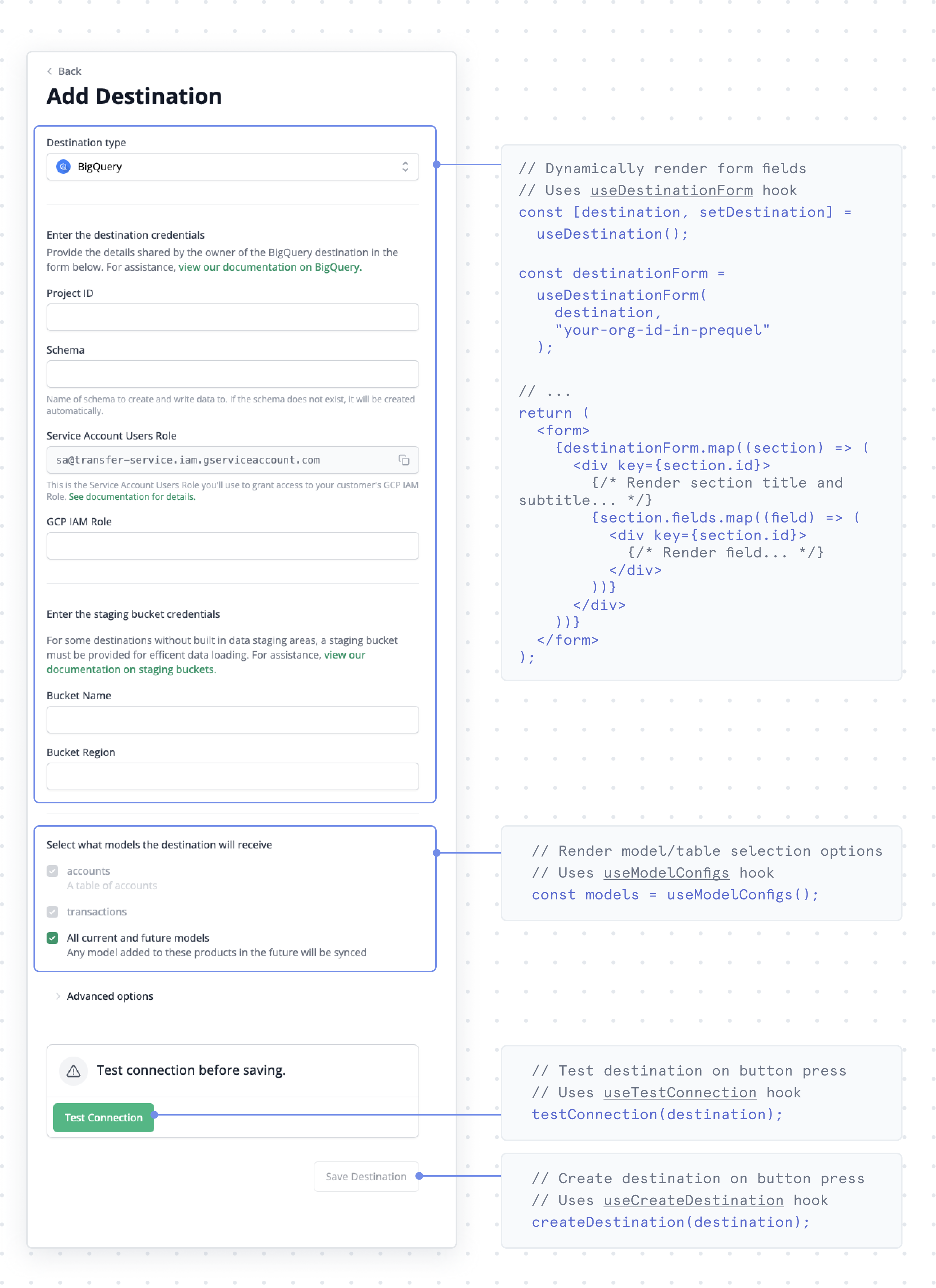
Setup
Install Prequel React from thenpm public registry.
Command Line
Example React app
Checkout our React Example App for an in-depth look on how to build a dynamic form with our SDK.Explore the React SDK
Authentication
Generate scoped auth tokens to authenticate client-side requests.
Hooks
The set of React Hooks for embedding Prequel into your app.
Sample App
A barebones example app to help you get started.
Tutorials
Step-by-step guides for building common destination flows:- Add Destination Form: build a dynamic form to test and connect destinations.
- Edit Destination Form: build a form to edit, test, and update destinations.
- Viewing Existing Destinations: render existing destinations for your users to inspect.
- Viewing Destination Transfers: render transfers for an existing destination.
- Deleting Destinations: build functionality for your users to delete destinations.