

What are products?
By default, every recipient added to Prequel has access to all models defined in theprequel/models directory. Products is an optional feature that allows you to subscribe recipients to a subset of available models.
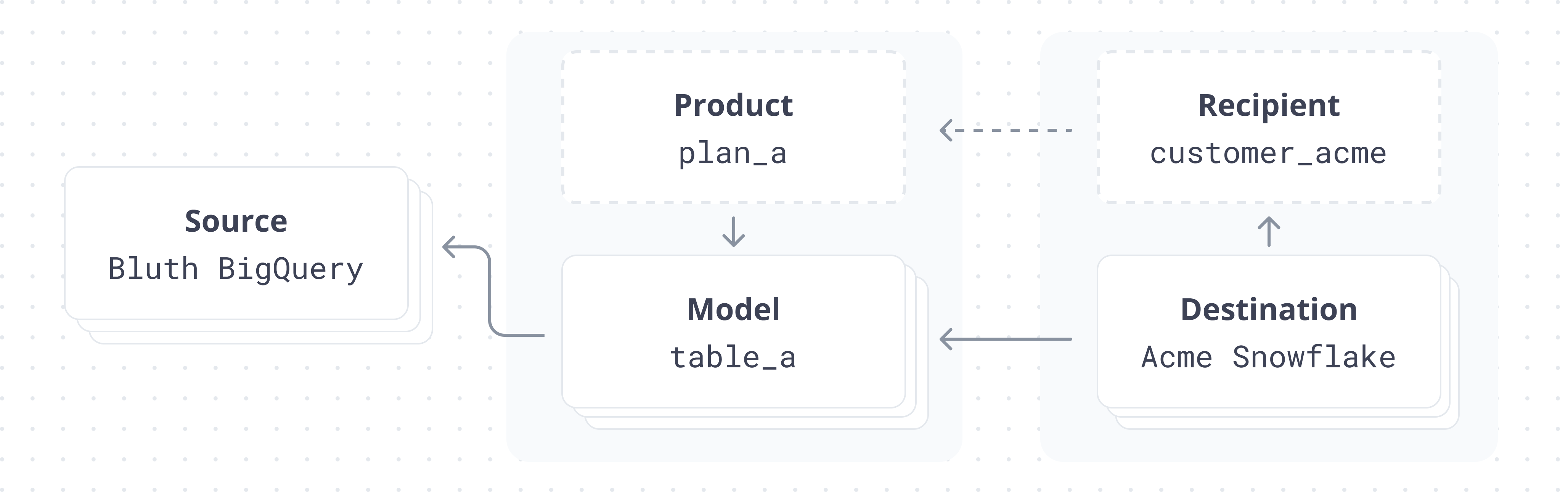
Products - an example use caseSay you operate a SaaS business with 3 product suites: “Sales Tools”, “Marketing Tools”, and “Customer Support Tools”.Any given product suite may have a different set of underlying tables, but a given customer can subscribe to 1, 2, or even all of them.You might use the Prequel Products feature to group these tables into “Sales Tools Dataset”, “Marketing Tools Dataset”, and “Customer Tools Dataset”, so that based on the given recipient, you can make a different set of tables available to them.
The all product
Every environment includes a built-in product named all that contains every model. Pass ["all"] as a recipient’s products to share every model with that recipient.
Getting started with products
Create a new directory in your git repo calledprequel/products. In this directory, create a default.json file.
This file specifies which models are sent to a destination if you don’t add them to any specific products. In other words, it specifies which models are sent to destinations by default. Like all product files, it takes a single key, models, and the corresponding value should be a list of model names.
Let’s imagine we have three models defined in our prequel/models directory: accounts.json, logs.json, and transactions.json. Let’s also imagine we define the following default.json file in prequel/products.
default.json
products field will only receive the accounts and logs models, and will not receive the transactions model.
Validate product filesProduct files can be validated in the same way that model files are. Simply make an API call to the
/products/{product_name}/validate endpoint. For example:Validate product
Non-default products
For the sake of example, let’s assume that we still want certain destinations to receive thetransactions model. We can define a new product — we’ll name it transactions_feature.
transactions_product.prql
default and transactions_feature — and they will receive the default tables, as well as the transaction table (accounts, logs, transactions) while destinations who aren’t assigned to a specific product will only receive accounts and logs.
Assigning destinations to products
By default, destinations are assigned to thedefault product. In other words, if you take no action when you create a destination, they will receive all the models defined in the default.json product.