

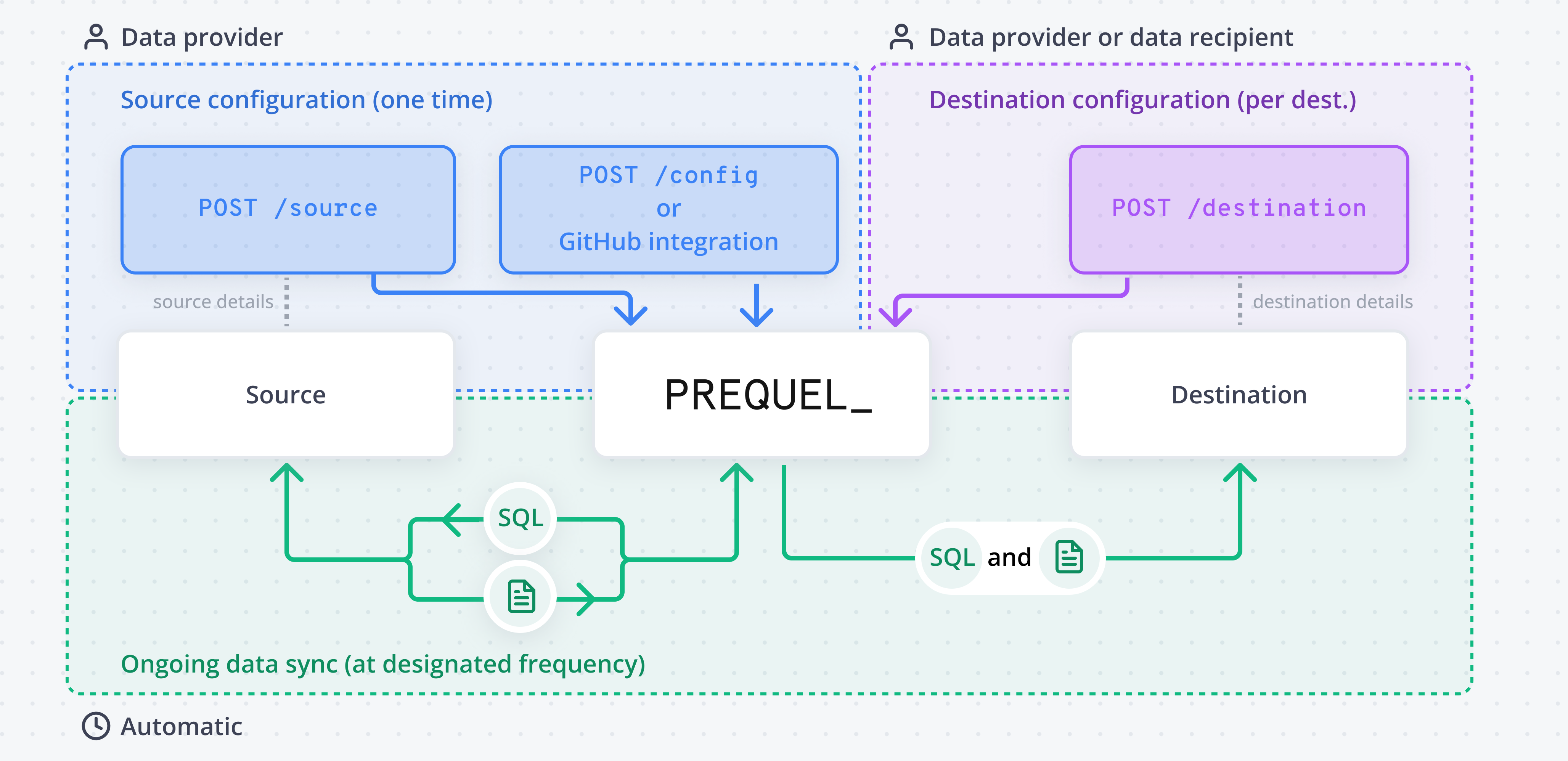
The building blocks
Source
The database, warehouse, or object store Prequel reads from.
Model
Declares which source table and columns are shared, how rows are filtered per tenant, and how changes are detected.
Recipient
One of your customers. Their rows are matched by a tenant identifier so they only receive their own data.
Destination
Where a recipient receives their data. Owned by the recipient.
How a transfer works
1
Connect a source
Prequel connects directly to your source and reads only the tables your models reference.
2
Declare your models
Each model maps a source table to destination columns, with one column flagged as the primary key and one as the last-modified timestamp for change detection.
3
Onboard recipients and destinations
Add a recipient for each customer and connect the destination they receive data into. The recipient’s tenant identifier scopes every transfer to that customer’s rows.
4
Prequel syncs on a schedule
The first transfer runs a full refresh; subsequent transfers sync only changed rows on the configured frequency, with schema evolution and data integrity checks handled automatically.