

Magic links
Send a secure self-onboarding link. No code required.
Prequel Admin UI
First-party guided onboarding, done by you in the Admin UI.
React SDK
Drop pre-built, themeable components into your React app.
API
Build a fully custom experience against the Export API.
Magic links
Magic links offer a secure self-onboarding experience for your customers. When a customer opens their link, they get a pre-configured form scoped to their destination type and account, with a built-in connection test so they can validate their credentials before finishing. You provide a few details upfront to scope the link to a specific customer and destination. Magic links are single-use and expire after 7 days. See Recipients for how they fit into onboarding.Prequel Admin UI
Onboard a customer destination yourself, directly in the Prequel Admin UI, with no code. This suits first-party guided onboarding, ad-hoc setup, internal testing, or credential-less destinations where a self-serve flow is not needed.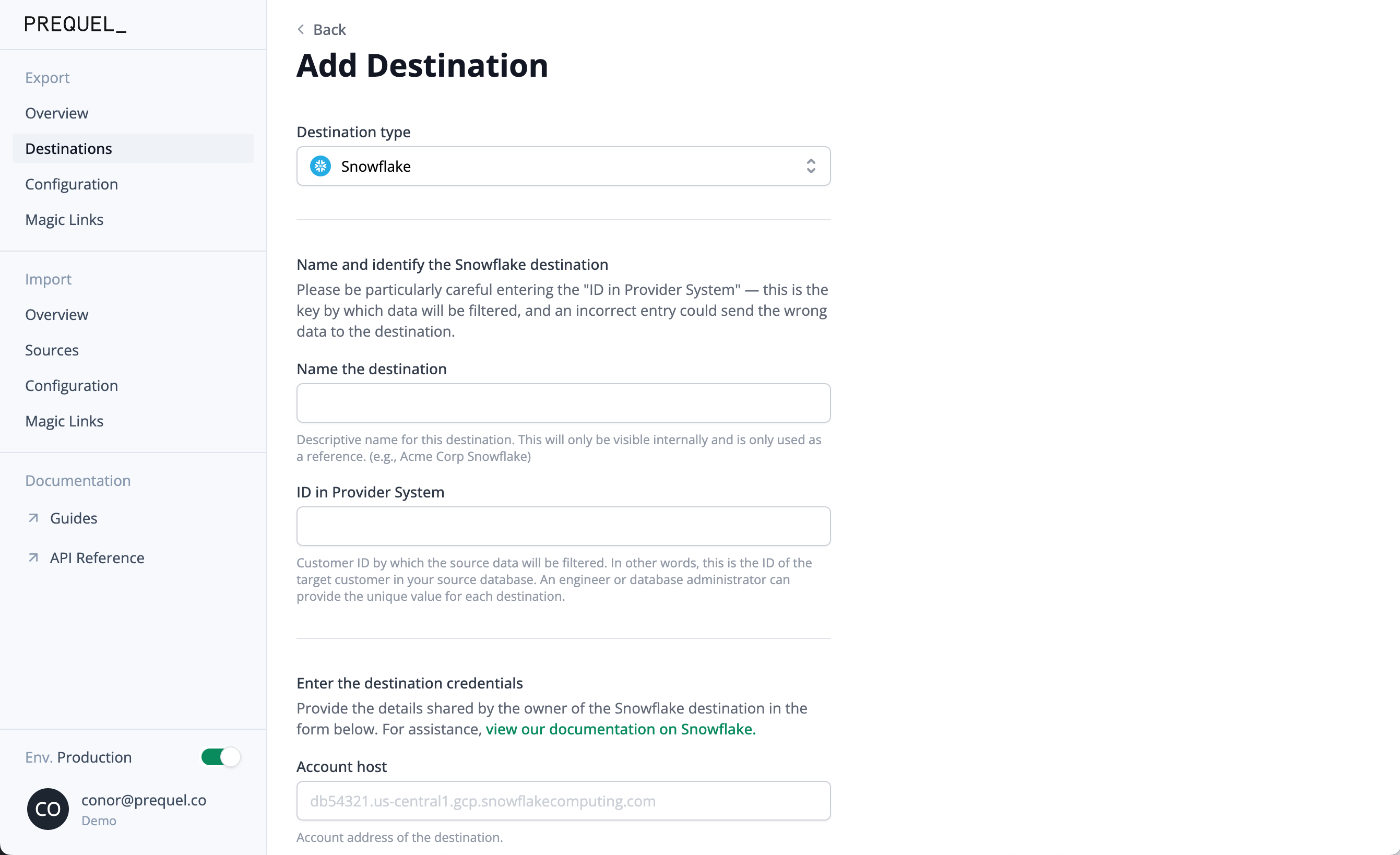
React SDK
The React SDK provides pre-built, themeable components for destination onboarding and monitoring inside your React app. It handles tenant-scoped authentication, form rendering, and connection validation, so you can embed customer-facing data syncing without building it from scratch. See the React SDK and Authentication guides.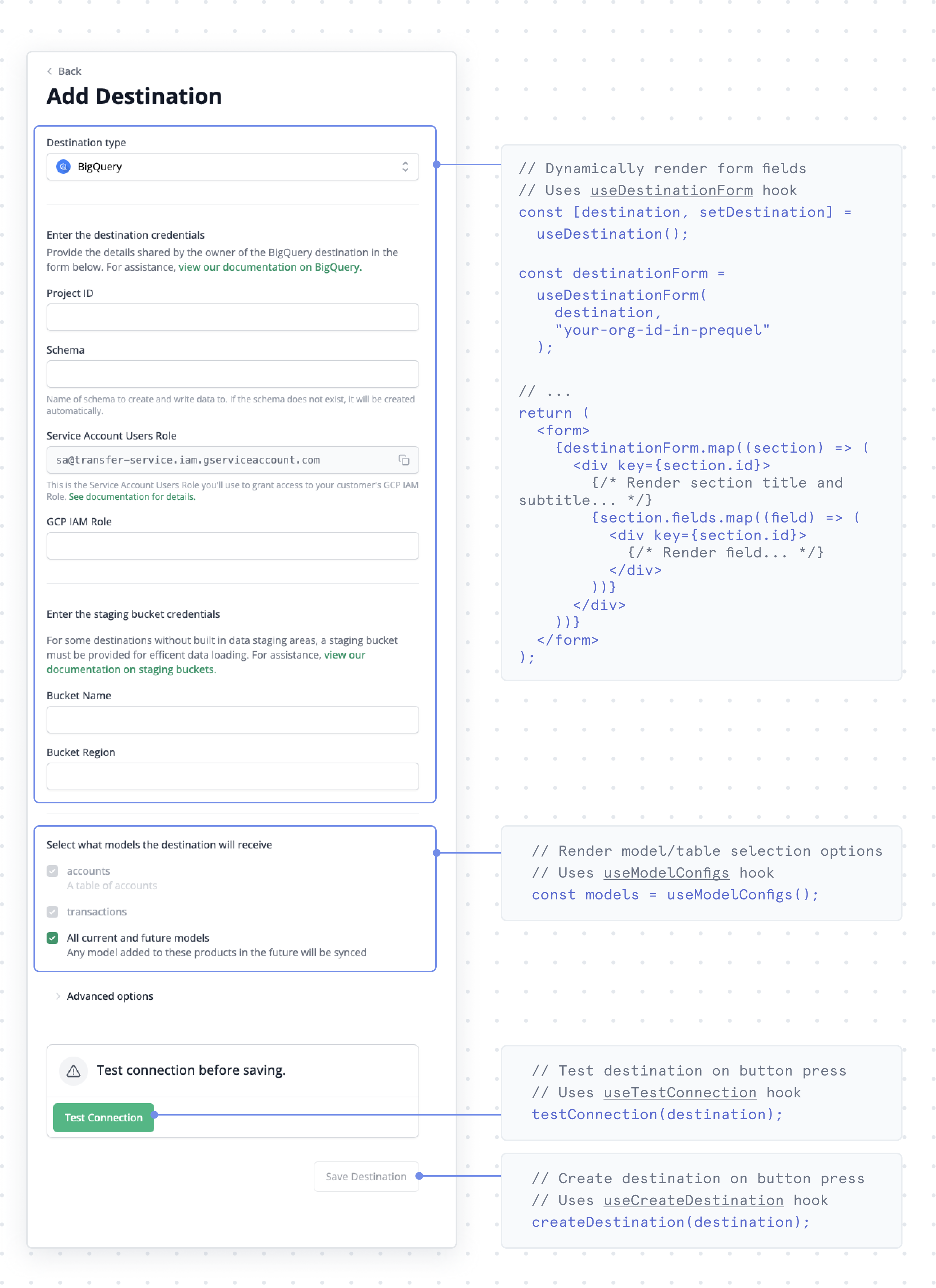
API
Build a fully custom experience against the Export API. The API covers the full lifecycle: creating and managing sources, destinations, recipients, and models, and triggering transfers from your own UI.Monitoring experience
Give customers visibility into their syncs: which destinations exist, when the last transfer ran, and whether it succeeded.View existing destinations
List the destinations a recipient has connected.
View destination transfers
Surface per-destination transfer history and status.