

Step 1: create a service account
1
Open the Service Accounts menu
In the GCP console, in the same project as your bucket, navigate to the IAM & Admin menu, open the Service Accounts tab, and click Create service account.
2
Name the service account
Give the service account a descriptive name and click Create and Continue. Click Continue and Done through the remaining optional steps without assigning any roles.
3
Note the email
Open the service account in the list and make a note of its email, which looks like
service-account-name@project-id.iam.gserviceaccount.com. You will provide this email in Step 5.Step 2: grant read access to the bucket
1
Open the bucket permissions
Navigate to the Cloud Storage page, click the bucket you want to read from, select the Permissions tab, and click Grant access.
2
Grant the read roles
Add the service account you created in Step 1 as a principal and assign both the Storage Legacy Bucket Reader and Storage Legacy Object Reader roles, then click Save. Together these grant the
storage.buckets.get, storage.objects.list, and storage.objects.get permissions used to read your data.Step 3: authorize authentication
Choose the authentication method that fits your security policy.- Service account impersonation (recommended)
- HMAC keys
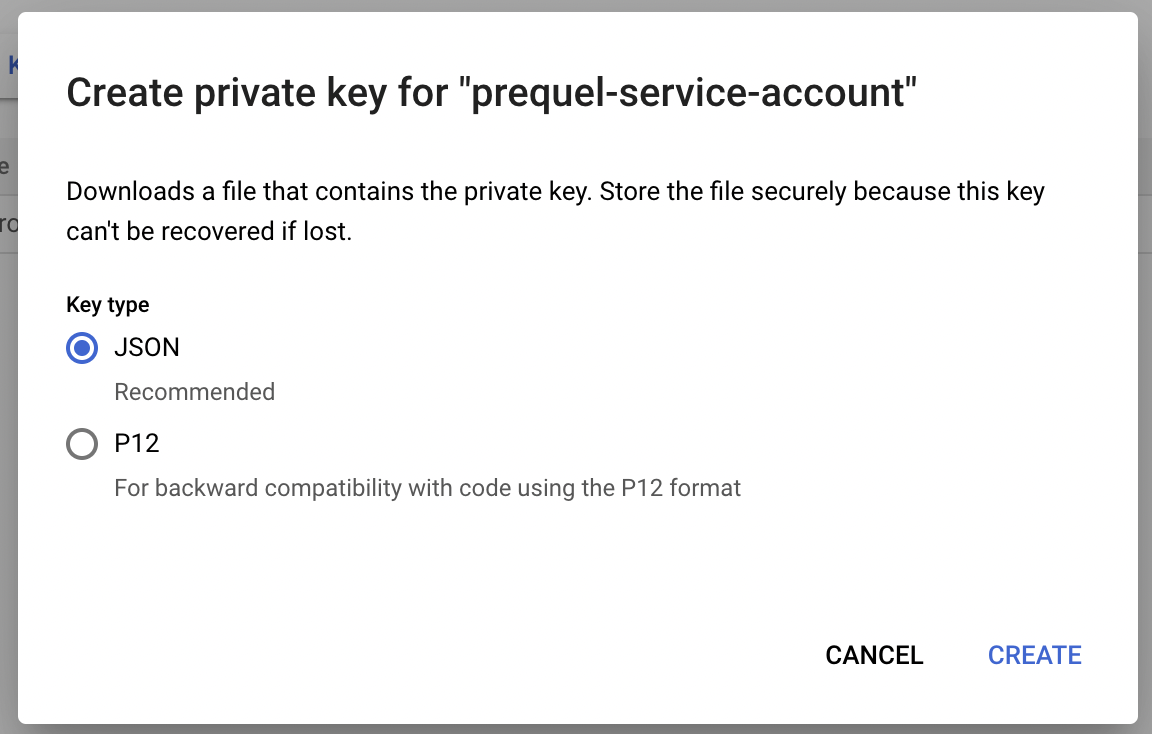
- Service account key
1
Open the service account permissions
In the IAM & Admin menu, open the Service Accounts tab and click the service account you created in Step 1 to open its details. Navigate to the Principals with access tab and click Grant Access.
2
Grant permission to impersonate
Add our service account as a principal and grant it both the Service Account Token Creator and Service Account User roles. Reach out to your account representative for the exact service account email to add.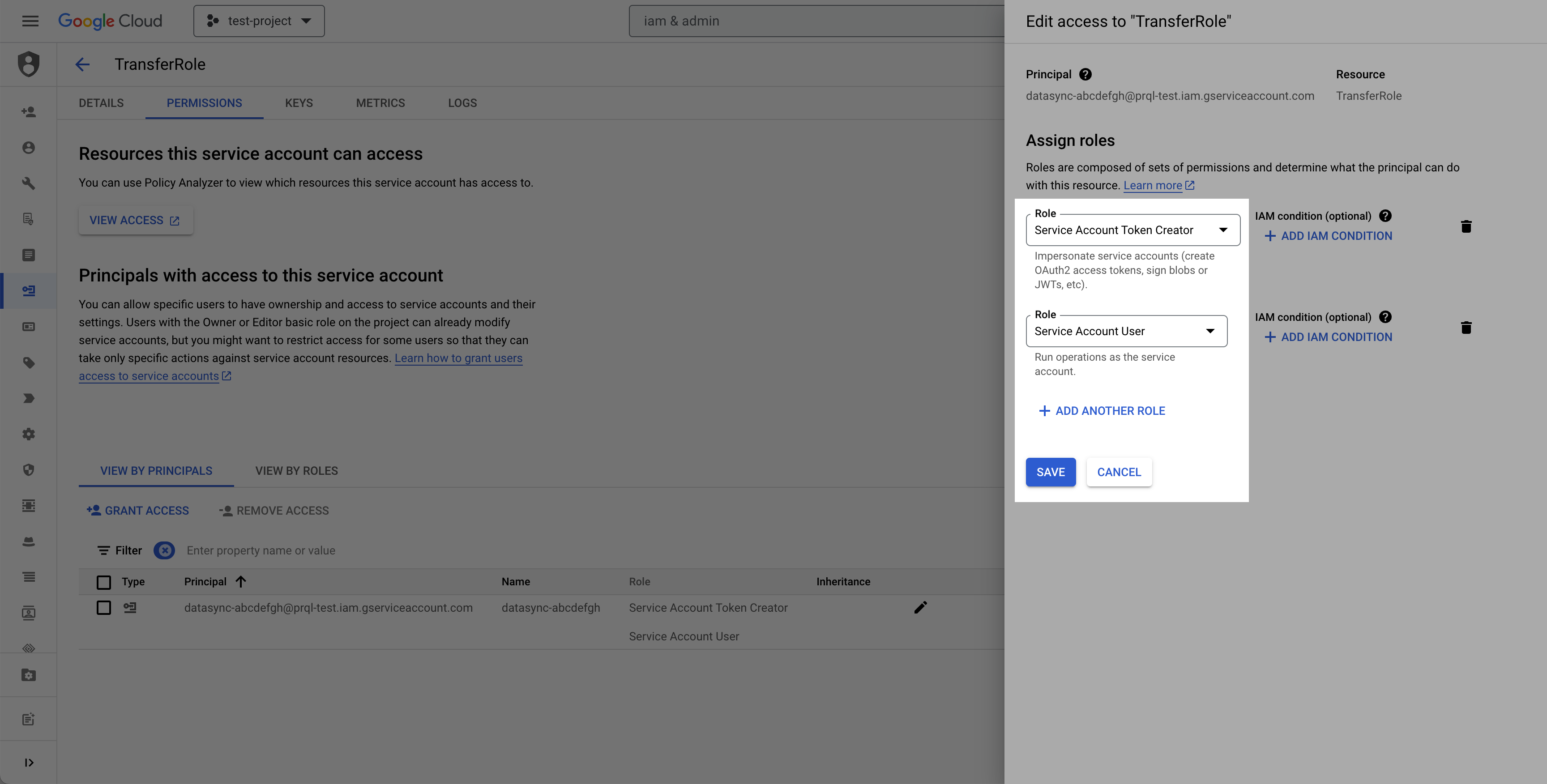
3
Grant permission to sign URLs
Click Grant Access again, add the email of the service account you created in Step 1 as a principal, and grant it the Service Account Token Creator role. Your service account needs this role on itself to sign the short-lived URLs we use to read your files.


Step 4: find your bucket region
Navigate to the Cloud Storage page, click the bucket you want to read from, and make a note of its Location, such asus or us-central1. You will provide this value as the region in Step 5.
Step 5: submit your connection details
Provide the following details to complete the source setup:- The name is a descriptive name of the source.
- The bucket name of the bucket you want to read from.
- The region (the bucket location) from Step 4.
- The authentication credentials from Step 3:
- If using impersonation: the service account email from Step 1.
- If using HMAC keys: the access key and the secret.
- If using a service account key: the service account email from Step 1 and the JSON key you downloaded.
Terraform
If your organization manages infrastructure with Terraform, you can use the configuration below instead of the steps above. It sets up the same resources and permissions, using service account impersonation.- Use the official
hashicorp/googleprovider. The project needs the IAM API enabled. - In
terraform.tfvars, setproject_id,bucket_name(an existing bucket), andvendor_service_account_email(our service account email, which your account representative provides). The optionalservice_account_idinput defaults totransfer-reader. - After
terraform apply, use thebucket_name,bucket_region, andservice_account_emailoutputs to complete the connection setup. Print each withterraform output -raw <name>.