> ## Documentation Index
> Fetch the complete documentation index at: https://docs.prequel.co/llms.txt
> Use this file to discover all available pages before exploring further.
# MotherDuck
> Configuring your MotherDuck destination.
Create a new database for data writing. Skip this step if you already have a database prepared.
1. Log in to the MotherDuck account.
2. Click the plus icon next to "Attached Databases".
3. Enter the desired name of your database.
Collect connection information and create an access token for the data transfer service.
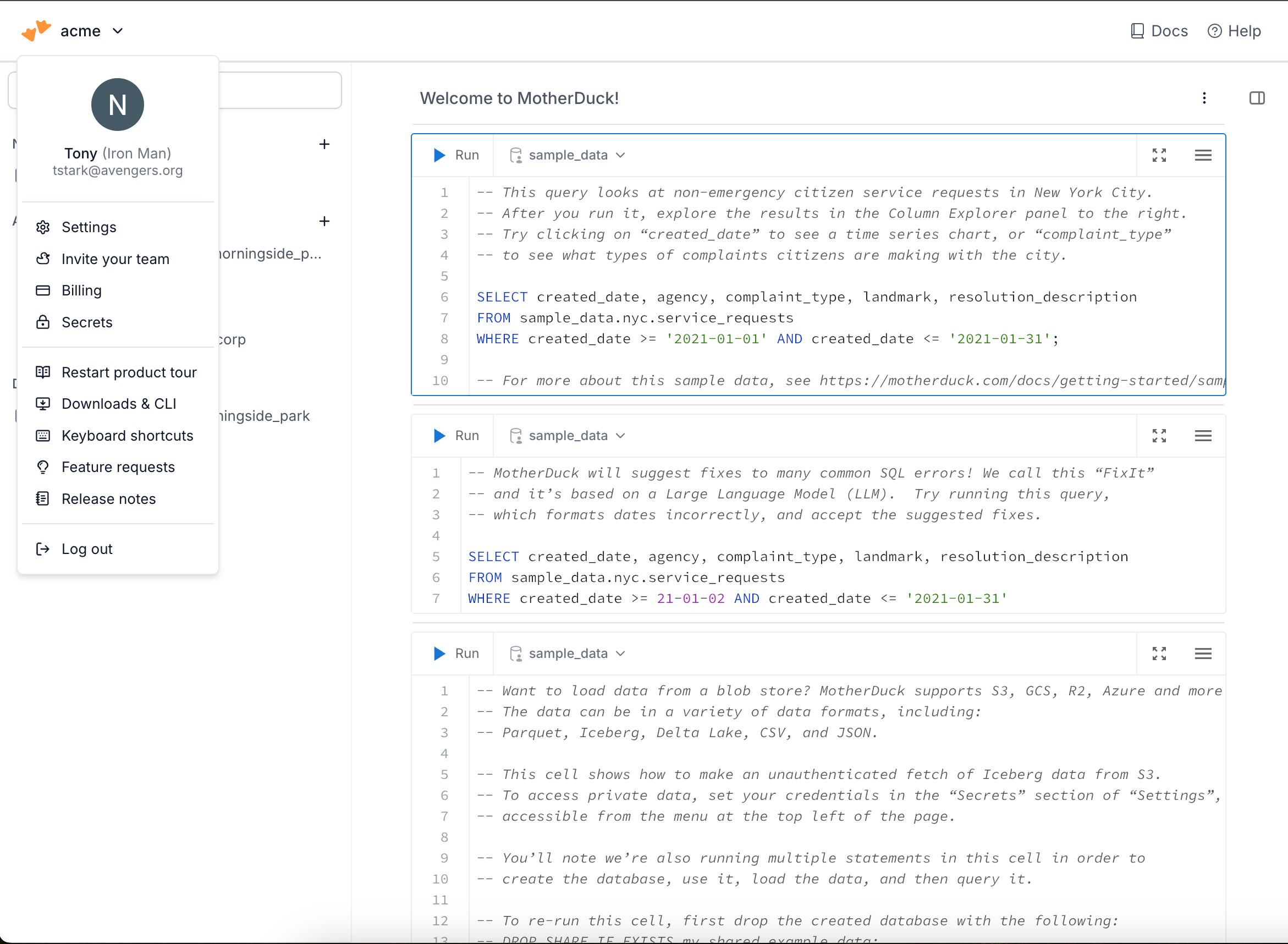
1. In the navigation dropdown, select **Settings**.
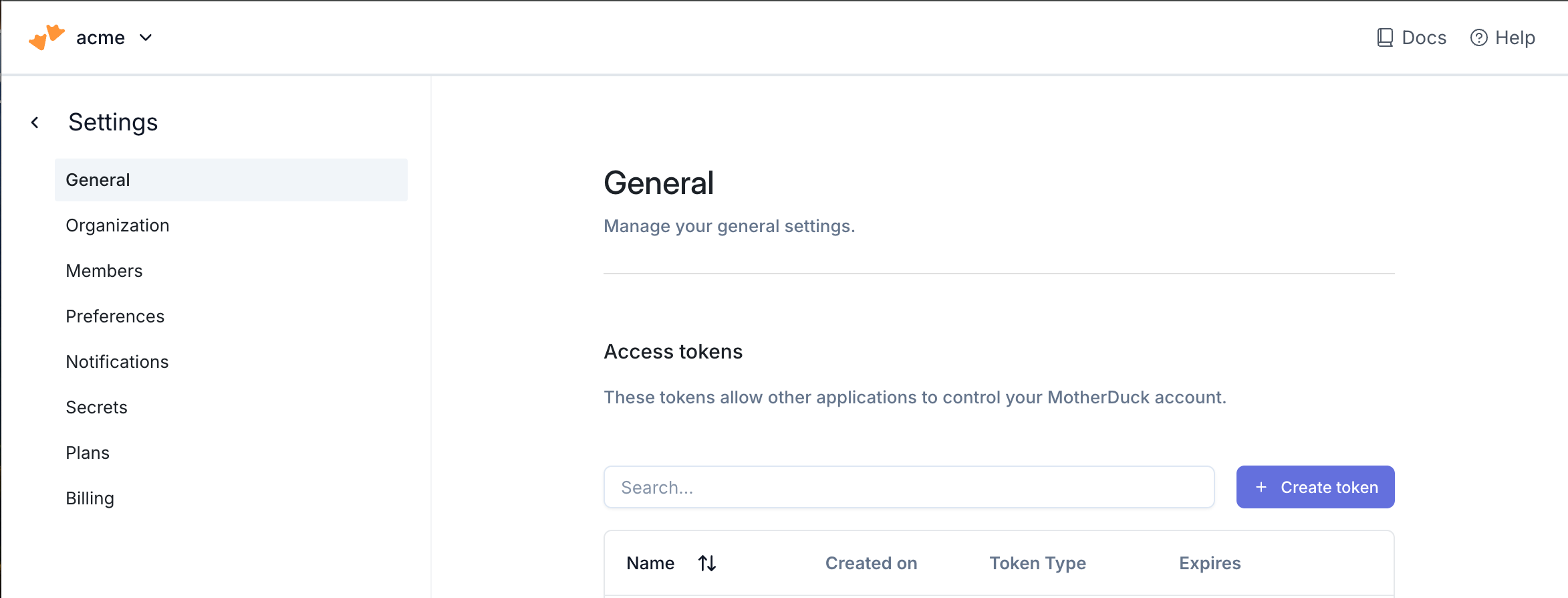
2. Click the **Create token** button to create a \*\* access token\*\*.
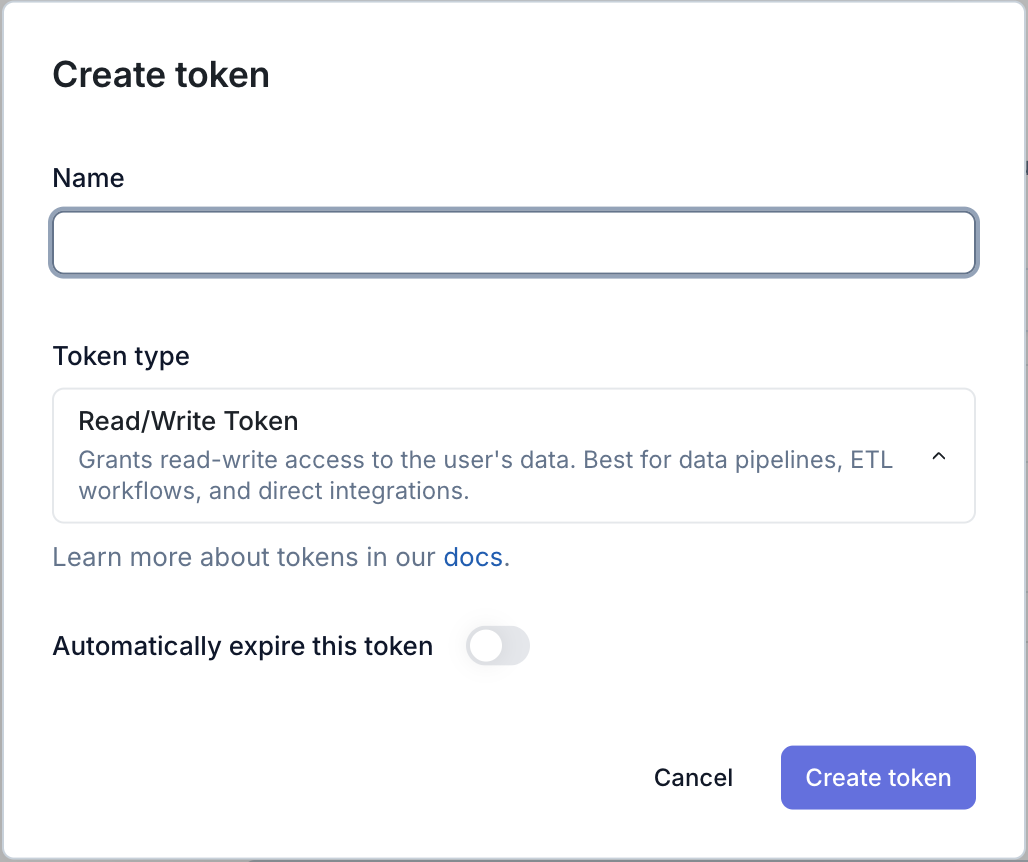
3. Name the token with a descriptive comment and assign the token lifetime. A longer lifetime will ensure you do not have to update the token as often. Ensure that the **Token Type** is set to "Read/Write Token". Click **Generate**.
4. In the pop up that follows, **copy the token** and securely save the token.
Use the following details to complete the connection setup: **database**, your chosen **schema name**, and **access token**.
## Permissions checklist
* Access token generated with **Read/Write Token** type.
* Token lifetime set according to your rotation policy.
* Target database exists in MotherDuck.
## FAQ
We authenticate using a MotherDuck access token. Generate a dedicated Read/Write token in MotherDuck Settings and provide it during destination setup. The token grants scoped access without sharing your account credentials.
Generate a new token in MotherDuck Settings, update the destination configuration with the new token, and revoke the old one.
No. The schema provided in the destination configuration is created automatically on first sync.