> ## Documentation Index
> Fetch the complete documentation index at: https://docs.prequel.co/llms.txt
> Use this file to discover all available pages before exploring further.
# Products
> Understanding Products, an optional Prequel feature
## What are products?
By default, every recipient added to Prequel has access to all models defined in the `prequel/models` directory. **Products** is an optional feature that allows you to subscribe recipients to a subset of available models.
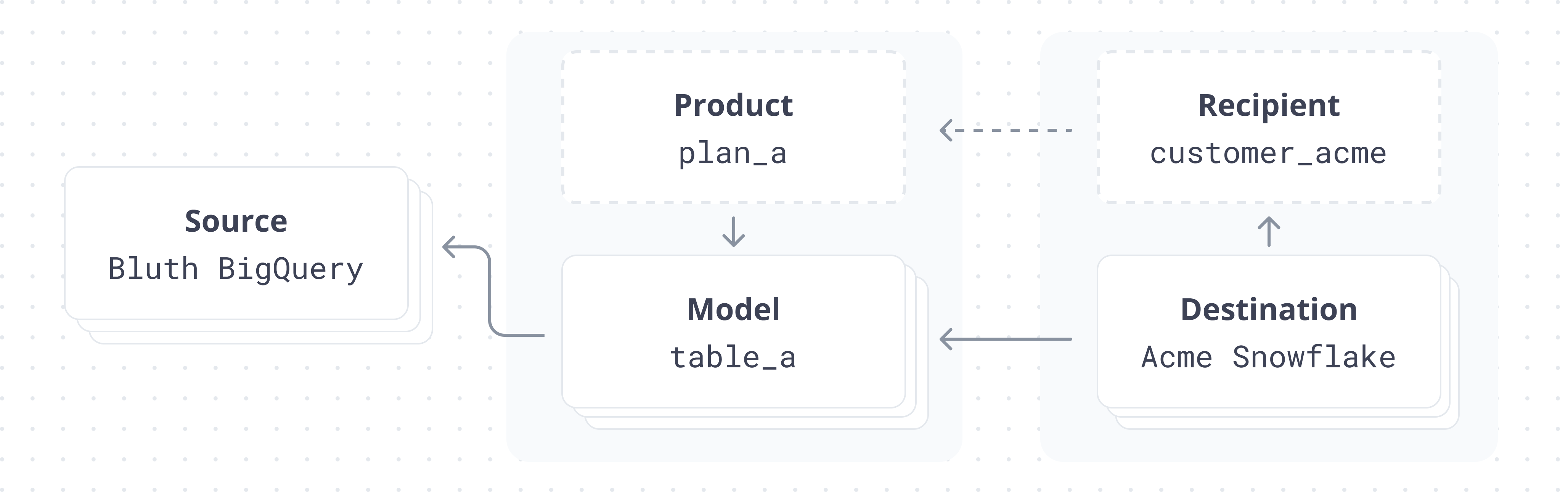
**Products - an example use case**
Say you operate a SaaS business with 3 product suites: "Sales Tools", "Marketing Tools", and "Customer Support Tools".
Any given product suite may have a different set of underlying tables, but a given customer can subscribe to 1, 2, or even all of them.
You might use the Prequel Products feature to group these tables into "Sales Tools Dataset", "Marketing Tools Dataset", and "Customer Tools Dataset", so that based on the given recipient, you can make a different set of tables available to them.
## Getting started with products
Create a new directory in your git repo called `prequel/products`. In this directory, create a `default.json` file.
This file specifies which models are sent to a destination if you don't add them to any specific products. In other words, it specifies which models are sent to destinations by default. Like all product files, it takes a single key, `models`, and the corresponding value should be a list of model names.
Let's imagine we have three models defined in our `prequel/models` directory: `accounts.json`, `logs.json`, and `transactions.json`. Let's also imagine we define the following `default.json` file in `prequel/products`.
```json title="default.json" theme={null}
{
"models": ["accounts", "logs"]
}
```
Now, destinations added without a `products` field will only receive the `accounts` and `logs` models, and will not receive the `transactions` model.
**Validate product files**
Product files can be validated in the same way that model files are. Simply make an API call to the `/products/{product_name}/validate` endpoint. For example:
```bash title="Validate product" icon="terminal" theme={null}
curl https://api.prequel.co/products/default/validate -X POST -d '' ...
```
## Non-default products
For the sake of example, let's assume that we still want certain destinations to receive the `transactions` model. We can define a new product -- we'll name it `transactions_feature`.
```json title="transactions_product.prql" theme={null}
{
"models": ["transactions"]
}
```
Specific destinations can now be configured with both products -- `default` and `transactions_feature` -- and they will receive the default tables, as well as the transaction table (`accounts`, `logs`, `transactions`) while destinations who aren't assigned to a specific product will only receive `accounts` and `logs`.
## Assigning destinations to products
By default, destinations are assigned to the `default` product. In other words, if you take no action when you create a destination, they will receive all the models defined in the `default.json` product.