> ## Documentation Index
> Fetch the complete documentation index at: https://docs.prequel.co/llms.txt
> Use this file to discover all available pages before exploring further.
# Tenancy options
> Setting your multi-tenancy mode
## What is multi-tenancy?
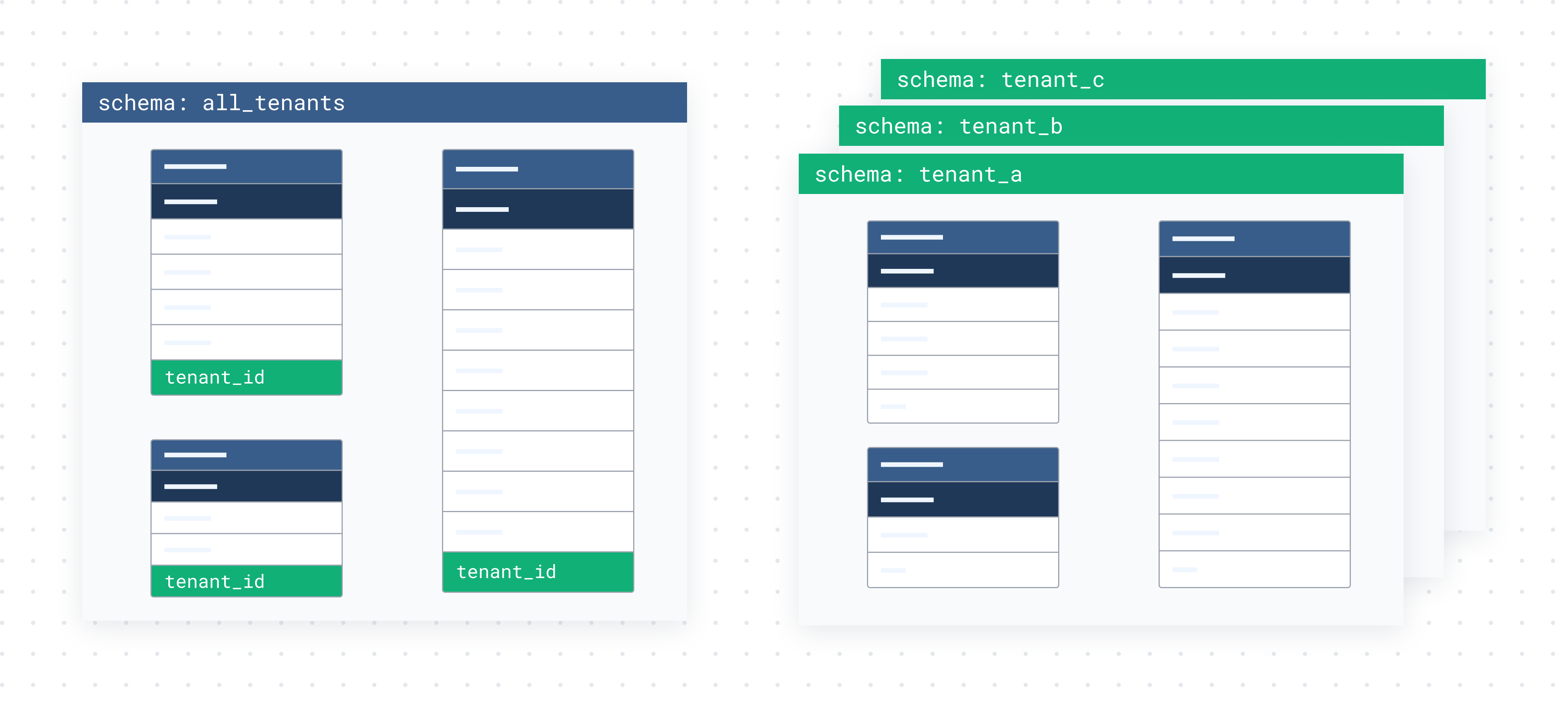
Multi-tenancy refers to storing data from multiple users of your software (tenants) in a single database. Prequel is purpose-built to sync data from, and to, multi-tenanted data stores. Tenancy is commonly modeled in one of two ways.
* **Multi-tenant tables**, where tenant data is commingled in a shared set of tables, with a column to indicate tenancy (for example, an `organization_id` or `tenant_id` column).
* **Schema per tenant**, where each schema contains the data for a single tenant.
| Multi-tenant mode | Description |
| :---------------------------------- | :---------------------------------------------------------------------------------------------------------- |
| **Multi-tenant tables** (`default`) | All tenants occupy the same tables, and tenancy is indicated via a column (for example, `organization_id`). |
| **Schema-tenanted database** | All tenants occupy their own schema, and tenancy is indicated by the schema. |
## How do I indicate my multi-tenancy mode?
**Toggling your data tenancy mode**
By default, every Prequel account is provisioned in **multi-tenant tables** mode. To switch your account to **schema-tenanted database** mode, contact Prequel support.
In multi-tenant tables mode, set each model's `organization_column` to the column that identifies the tenant, and Prequel filters every transfer to the receiving recipient's `id_in_provider_system`. See [Models](/export/concepts/models) and [Recipients](/export/concepts/recipients) for how the tenant identifier flows through a transfer.